1 credits per image · compare slider on every result
Amazon infographic images — A+ feature callouts with real text
Upload the product photo so AI can describe it, type the selling points, choose callouts, a feature grid or a hero banner. Every word you type is rendered exactly — no garbled letters — in a clean e-commerce layout sized for the Amazon gallery and A+ modules.
- Only the named part changes
- Amazon, Shopify, TikTok Shop, Etsy exports
- Product pixels locked
A supplier white-background shot is enough. We cut the product out, then build the model or the scene around it.
Or click to open the studio · PNG, JPG, WebP up to 15MB
How it works
01
Upload the product photo and click “Describe from photo”, or type the product in words.
02
Type up to four selling points and an optional headline; pick Callouts, Feature grid or Hero banner.
03
Generate two or four variations, pick one, export at 2000×2000 for the gallery or 16:9 for A+ modules.
A+ content images · Product infographic maker · Amazon listing infographic · Product feature image generator
A+ content images, product infographic maker, Amazon listing infographic — one job: a gallery image that explains the product in three or four lines. The engine behind this tab is built for text and layout, so the callouts are real letters you can read on a phone, not decoration.
Why it works for listings
Text that is actually right
The model renders long, exact text. “Keeps cold 24h” comes out as “Keeps cold 24h”, in a legible sans-serif.
Layouts sellers use
Centre product with pointer callouts, feature tiles with icons, or a hero banner with headline — the three A+ patterns that convert.
Cheapest image in the studio
1 credit per image. Try two layouts, keep the better one, export every size from the same project.
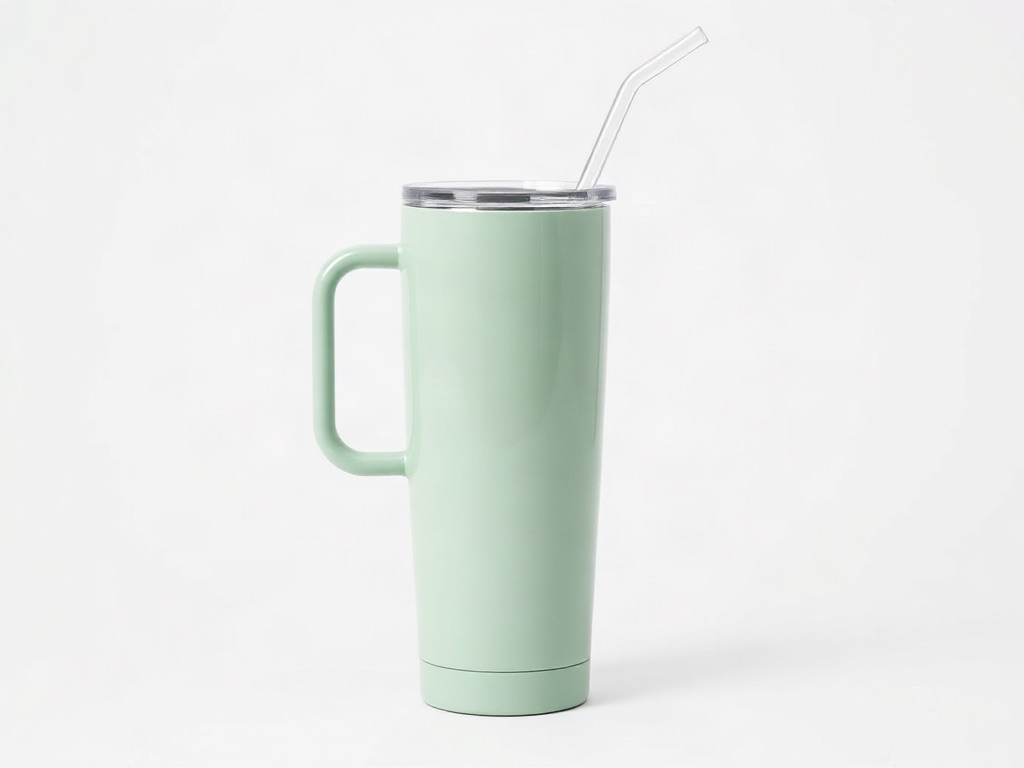
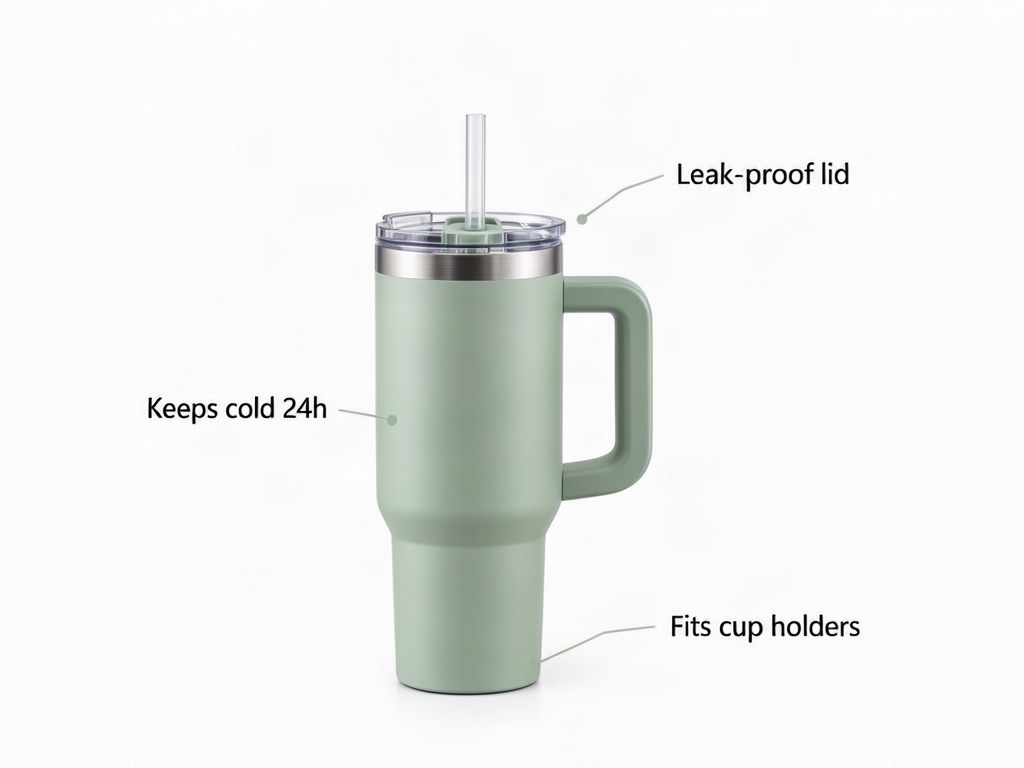 Original photo: 40 oz sage green insulated steel travel tumbler with a large side handle and a clear straw lid on a white backgroundOriginalGenerated
- Edit:
- White shot → A+ infographic, three callouts in real text
- For:
- Amazon gallery image three / A+ feature module
Frequently asked questions
Is the product in the infographic my actual photo?
No. This tab draws the product from your description (AI reads the photo and writes it for you), so the render is a close likeness, not your pixels. Use it for A+ modules, feature cards and social posts; for your exact photo use the Lifestyle scene tab.
Does Amazon allow infographic images?
Yes, as secondary gallery images and in A+ content. The main image must still be the plain product on pure white; export that from the Lifestyle scene tab.
What sizes does it support?
1:1 for the gallery, 16:9 for A+ modules, 4:3 and 3:4 for Shopify and TikTok Shop. Exports resize to each platform's recommended pixel size.
Can it write in other languages?
English and Chinese render reliably. Other Latin-alphabet languages usually work; check the compare view before publishing.
Upload one photo and see four results
1 credits per image. New accounts get 5 free credits — enough to test it on your own photo.
More tools
- AI virtual try-on — put your clothes on a modelVirtual try-on for sellers: upload a flat-lay or ghost-mannequin shot, pick an AI fashion model, and get on-model photos that keep every stitch of the garment. Amazon-, Shopify- and TikTok-ready sizes.
- AI product photography — lifestyle scenes from one photoPlace your product in a kitchen, living room, desk or outdoor scene. The product stays pixel-exact; the scene, light and shadows are generated around it.
- Edit text in image or photo online — keep the same fontEdit text in an image or photo without Photoshop: AI finds every line, you retype it, and the new words keep the original font, colour and texture. Change text in a JPG, a label, a banner or a screenshot in seconds; 5 free credits.
- Recolor image online — change the colour of anything in a photoRecolor an image with AI: name the part (a shirt, a lid, a bag, the background), pick the new colour, and get the same photo in that colour. Texture, folds, shadows and printed text stay. 2 credits per image.