2 credits per image · compare slider on every result
Recolor image online — change the colour of anything in a photo
Upload the photo, say what to recolour and pick a swatch. The engine changes only the hue of that part — weave, seams, highlights and lighting stay as shot, so the result looks like a second colourway photographed on the same day.
- Only the named part changes
- Amazon, Shopify, TikTok Shop, Etsy exports
- Product pixels locked
A supplier white-background shot is enough. We cut the product out, then build the model or the scene around it.
Or click to open the studio · PNG, JPG, WebP up to 15MB
How it works
01
Upload a JPG, PNG or WebP of the product (one colourway is enough).
02
Type what to recolour — “the hoodie”, “the lid”, “the background” — and pick the new colour.
03
Generate one, two or four variations, compare with the slider, download or export.
Change color in image · Image color changer · Recolor photo online · AI color changer
Image color changer, change color in image, recolor photo online — one task: turn an object in an existing photo into another colour without a reshoot or a Photoshop mask. Hue shifts and selective colour tools break on shadows and highlights; this renders the new colour under the original light.
Why it works for listings
Texture and light survive
Folds, stitching, glossy highlights and contact shadows are kept; only the colour of the named part changes.
Text and logos stay put
Printed labels, prints and brand marks on the object are preserved — they are not repainted with the new colour.
Every colourway from one shoot
Photograph one SKU, generate the other six colours, export them all at platform sizes.
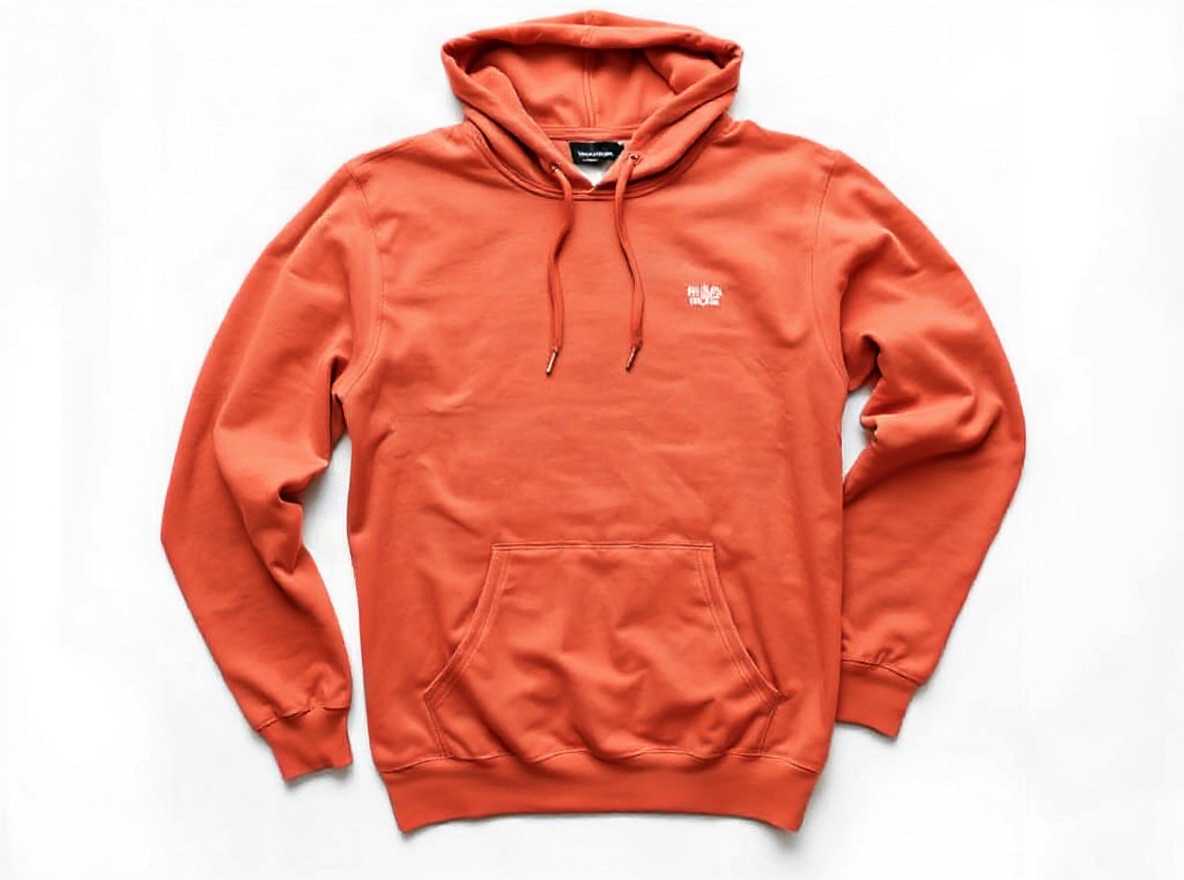 Original photo: sage green cotton pullover hoodie with a small white embroidered chest logo, flat lay on a white backgroundOriginalGenerated
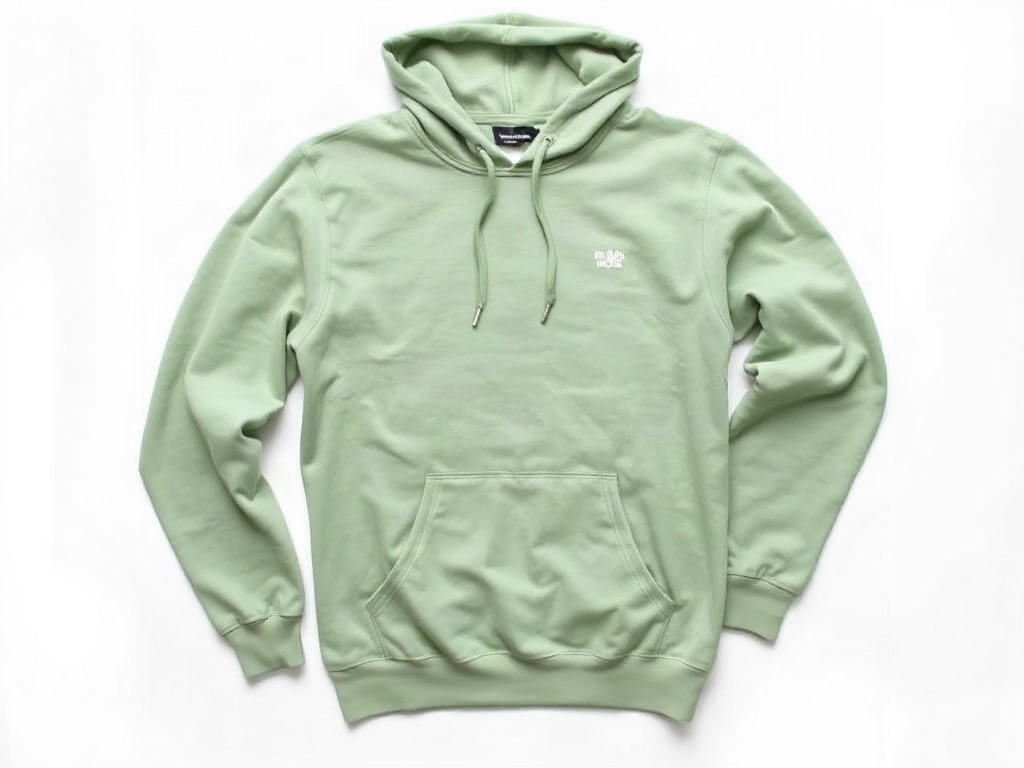
- Edit:
- Hoodie colour sage green → terracotta, same fabric and logo
- For:
- Every colourway of a SKU from one flat-lay shoot
Frequently asked questions
Can I change the colour of just one object?
Yes. Name the part — “the left shoe”, “the bottle cap”, “the background” — and only that part changes. Everything else in the photo is left alone.
Does it work with patterns or prints?
Solid colours and heathers recolour best, and a printed logo or label on the object is kept as it is. A two-colour stripe or check is treated as one piece: both colours shift together, so you cannot change only the navy stripes of a navy-and-cream tee. Tested on 2026-11-03; that is a limit of the current engine, not a setting.
How exact is the colour?
Colour names (“navy blue”, “terracotta”) give the most reliable result; a hex code is used as a guide, not a measured match. Generate two or four variations and pick the closest.
How much does it cost?
2 credits per image. Failed runs are refunded automatically.
Upload one photo and see four results
2 credits per image. New accounts get 5 free credits — enough to test it on your own photo.
More tools
- AI virtual try-on — put your clothes on a modelVirtual try-on for sellers: upload a flat-lay or ghost-mannequin shot, pick an AI fashion model, and get on-model photos that keep every stitch of the garment. Amazon-, Shopify- and TikTok-ready sizes.
- AI product photography — lifestyle scenes from one photoPlace your product in a kitchen, living room, desk or outdoor scene. The product stays pixel-exact; the scene, light and shadows are generated around it.
- Edit text in image or photo online — keep the same fontEdit text in an image or photo without Photoshop: AI finds every line, you retype it, and the new words keep the original font, colour and texture. Change text in a JPG, a label, a banner or a screenshot in seconds; 5 free credits.
- Change the colour of clothes in a photo — AI clothes colour changerChange the colour of a shirt, dress, hoodie or trousers in a photo with AI. The fabric, folds and fit stay exactly as shot; only the colour changes. One listing photo becomes every colourway.
- Amazon infographic images — A+ feature callouts with real textMake Amazon infographic images and A+ content modules in a minute: describe the product, type up to four selling points, pick a layout. The text is rendered exactly as typed, readable at thumbnail size. 1 credit per image.