2 credits per image · compare slider on every result
Change the colour of clothes in a photo — AI clothes colour changer
Upload the garment photo — flat lay, on a mannequin or on a model — type “the t-shirt” and pick the colour. The fabric texture, seams, folds and shadows are kept, so each colourway looks like it came from the same shoot.
- Only the named part changes
- Amazon, Shopify, TikTok Shop, Etsy exports
- Product pixels locked
A supplier white-background shot is enough. We cut the product out, then build the model or the scene around it.
Or click to open the studio · PNG, JPG, WebP up to 15MB
How it works
01
Upload the garment photo (flat lay, ghost mannequin or on-model all work).
02
Type the garment — “the hoodie”, “the dress” — and pick the colour from the swatches or type a colour name.
03
Generate, compare with the slider, download or export for Amazon, Shopify or TikTok Shop.
Change shirt color in photo · Clothes color changer · Change dress color · Recolor clothing online
Clothes color changer, change shirt color in photo, change dress color — sellers search for the same thing: a listing photo of one colourway turned into the others without photographing every size run again. This keeps the garment pixels and swaps only the dye.
Why it works for listings
Same garment, new dye
Fabric weave, ribbing, folds and drape are untouched. Only the colour changes, under the original lighting.
Works on a model too
Skin, hair, background and other garments are kept. Only the piece you name changes colour.
Prints and labels preserved
A chest print or woven label is kept as it is — the engine recolours the fabric around it.
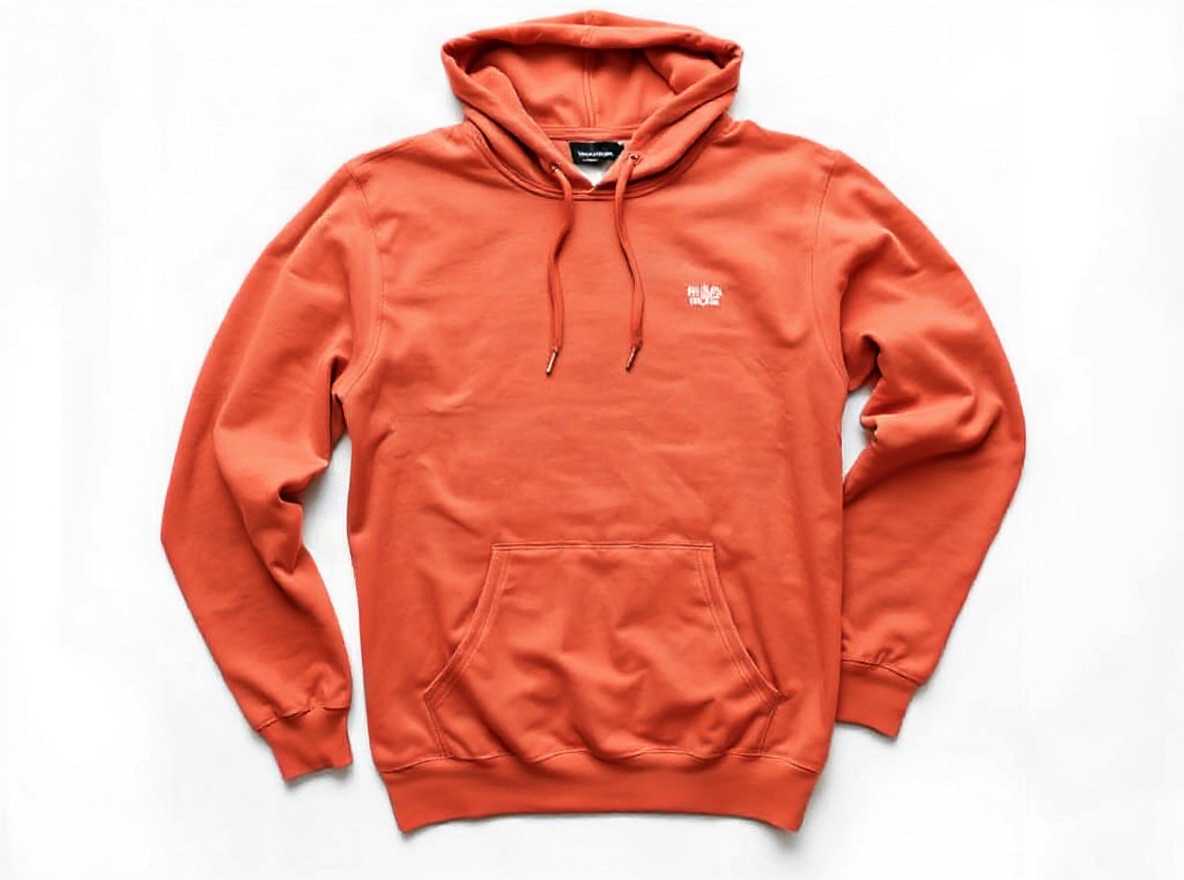 Original photo: sage green cotton pullover hoodie with a small white embroidered chest logo, flat lay on a white backgroundOriginalGenerated
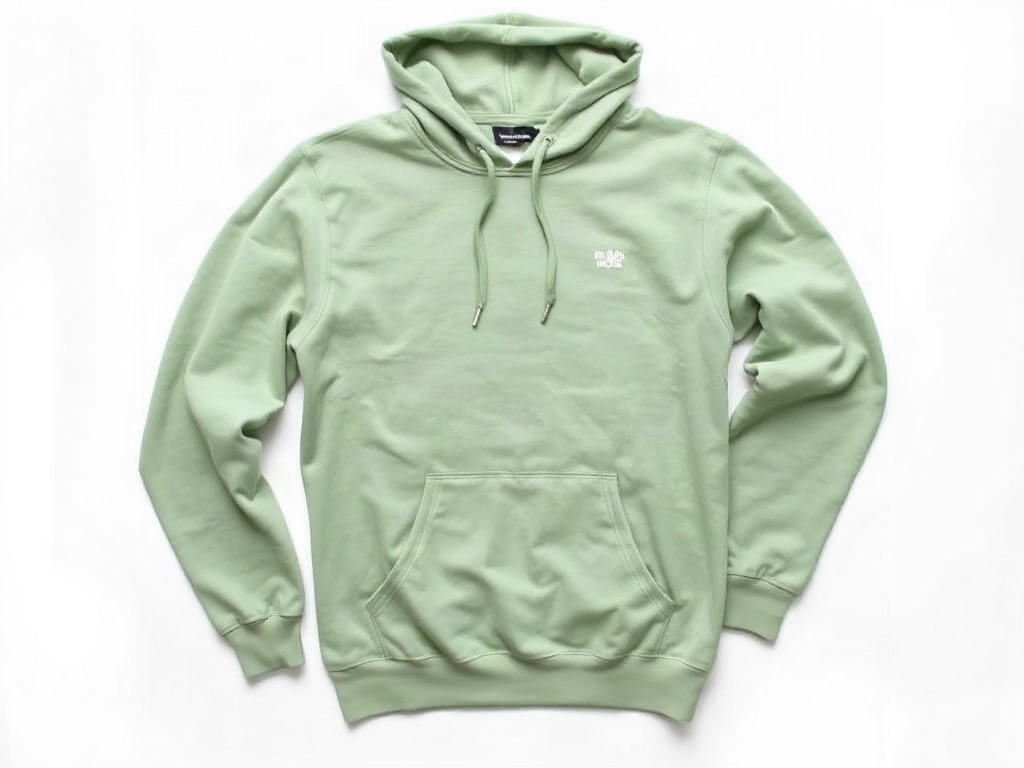
- Edit:
- Hoodie colour sage green → terracotta, same fabric and logo
- For:
- Every colourway of a SKU from one flat-lay shoot
Frequently asked questions
Can I change only the shirt and keep the trousers?
Yes. Name the piece — “the shirt” — and the trousers, shoes and model are left alone. What does not work: one colour inside a multi-colour pattern (the navy stripes of a navy-and-cream tee). A striped or checked garment recolours as a whole.
Does it work on a model photo?
Yes. Recolouring works on flat lays, mannequin shots and on-model photos. For on-model shots, name the garment clearly (“the jacket”, not “the top”) when the model wears several layers.
Will the result match my real dye lot?
It is a photographic rendering of the colour you name, not a measured match. Use it for listings and previews; for exact colour claims, keep your real swatch photo alongside.
Can I put the recoloured garment on a model afterwards?
Yes. Save the recoloured image to the project, switch to the On model tab, and run virtual try-on on it.
Upload one photo and see four results
2 credits per image. New accounts get 5 free credits — enough to test it on your own photo.
More tools
- AI virtual try-on — put your clothes on a modelVirtual try-on for sellers: upload a flat-lay or ghost-mannequin shot, pick an AI fashion model, and get on-model photos that keep every stitch of the garment. Amazon-, Shopify- and TikTok-ready sizes.
- AI product photography — lifestyle scenes from one photoPlace your product in a kitchen, living room, desk or outdoor scene. The product stays pixel-exact; the scene, light and shadows are generated around it.
- Edit text in image or photo online — keep the same fontEdit text in an image or photo without Photoshop: AI finds every line, you retype it, and the new words keep the original font, colour and texture. Change text in a JPG, a label, a banner or a screenshot in seconds; 5 free credits.
- Recolor image online — change the colour of anything in a photoRecolor an image with AI: name the part (a shirt, a lid, a bag, the background), pick the new colour, and get the same photo in that colour. Texture, folds, shadows and printed text stay. 2 credits per image.
- Amazon infographic images — A+ feature callouts with real textMake Amazon infographic images and A+ content modules in a minute: describe the product, type up to four selling points, pick a layout. The text is rendered exactly as typed, readable at thumbnail size. 1 credit per image.