How to disclose AI-generated models in product listings: Amazon, TikTok Shop, Etsy and Shopify
Amazon requires an XMP keyword on any image with a photorealistic AI-generated person; TikTok labels AI content and requires listing images to match the real product; Etsy requires one unedited photo; Shopify sets no rule. The exact tag, how to add it with exiftool or Preview, and a pre-publish checklist.
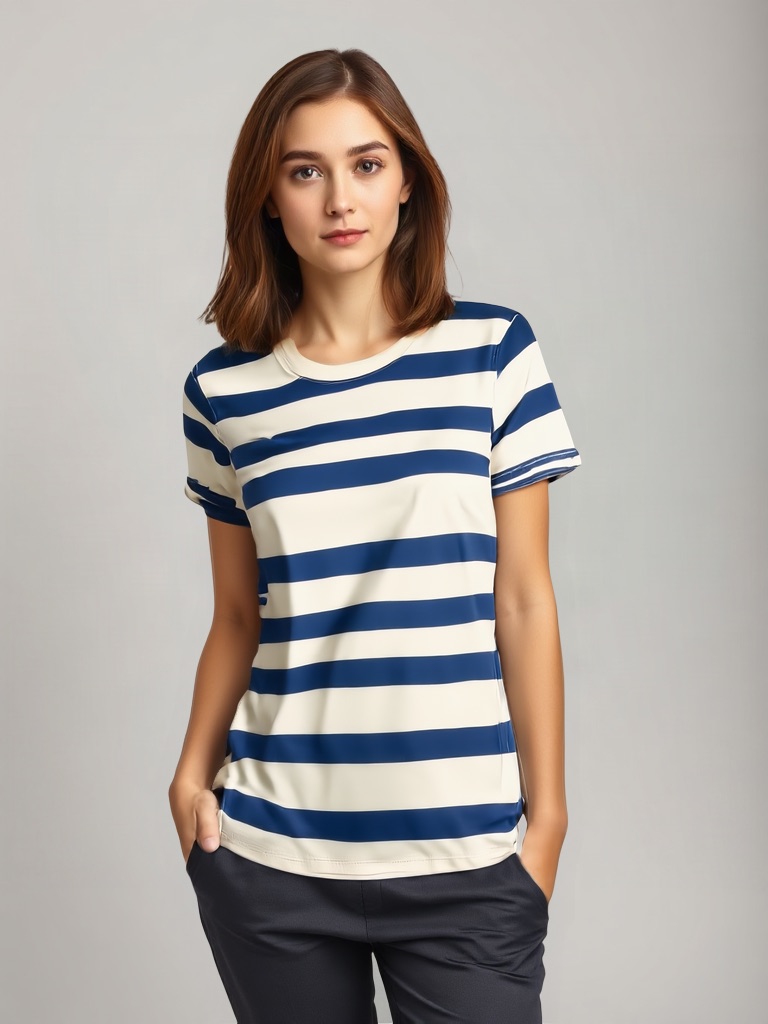
If the person wearing your product in a listing image was generated, at least one marketplace now wants to know before you upload. Amazon's rule is specific down to the metadata field; TikTok's is a labelling policy plus an accuracy rule for listing images; Etsy's is about keeping one real photo; Shopify has none. This page gives the exact requirement for each, the step-by-step for Amazon's tag, and a checklist to run before a listing with a synthetic model goes live.
Key takeaways
- Amazon: any product image or video that contains a photorealistic AI-generated person must carry the keyword
contains-synthetic-performerin the XMPdc:subjectfield before upload. Amazon then adds the disclosure where a jurisdiction requires it. Not needed for real people edited with AI, for non-photorealistic people, or for images with no people. - TikTok Shop: AI-generated listing images are allowed when they accurately represent the real product; TikTok requires creators to label AI content that shows realistic-looking scenes or people, auto-labels its own AI effects and content with Content Credentials, and treats false disclosure as a violation.
- Etsy: most listings need one real, unedited photo of the item; AI may edit the other photos as long as the item looks the same; sellers must disclose when the item itself is AI-made.
- Shopify: no published rule on AI-generated models in product images.
- Tag last. Re-exporting a tagged file through another editor can strip the XMP keyword; add it as the final step and verify.
What counts as an AI-generated model
Amazon's wording is "photorealistic AI-generated people": a person fully generated by AI, not based on a real individual, rendered realistically. The tag is not required when the image shows only real people (even if AI tools modified the image), when the people are characters from a film or game, when there are no people, or when the people are not photorealistic. A virtual try-on that places your real garment on a synthetic model is squarely inside the rule; a real model photo with a generated background is outside it.
Edge cases worth deciding in advance: a close, photorealistic generated hand holding the product reads as a person, so tag it; a composite that is partly based on a real person is unclear, so confirm with the platform before using it; an illustrated or obviously stylised figure is not photorealistic and does not need the tag.
Amazon: the contains-synthetic-performer tag
The requirement. Amazon's product image requirements and its tagging guide say the metadata must contain an rdf:li with the value contains-synthetic-performer inside the XMP dc:subject rdf:Bag. In plain terms: add that exact keyword to the file's XMP Subject keywords. When you upload images to A+ Content Manager there is also an "AI-generated people" checkbox that applies the metadata for you.
macOS, Preview: open the file, press Cmd+I, open the Keywords tab, click +, type contains-synthetic-performer, press Enter.
Windows, File Explorer: right-click the file, Properties, Details, find the Tags field (not Subject) and enter contains-synthetic-performer.
Any system, exiftool:
exiftool -XMP-dc:Subject+=contains-synthetic-performer image.png
Add several files at once with *.png or a list of filenames. The += operator appends to the keyword bag; running it twice writes the keyword twice, which does not break the tag but is unnecessary.
Verify:
exiftool -G1 image.png | grep Subject
The output should show [XMP-dc] Subject: contains-synthetic-performer. Do this after every export, because some editors and optimisers strip XMP on save.
Where it applies. Amazon's image guide states the rule for product images, and the A+ Content guidelines state it for videos and A+ assets; treat it as applying to every synthetic-person asset you upload. Amazon's main-image rules still apply on top: for adult apparel the main image must be on a standing model, mannequins of any kind are banned, and the product must be the real product.
TikTok Shop
Two documents apply. TikTok's AI-generated content policy says creators must label AIGC that shows realistic-appearing scenes or people, provides a label toggle for uploads, auto-labels content made with TikTok's AI effects, and reads Content Credentials (C2PA) metadata to label content from other platforms. TikTok Shop's listing-image rules say AI-generated images are allowed when they accurately represent the real product: no change to size, colour, shape, features or quantity, no false scale, no swapping the product for a person or animal as the main subject, no flat prints shown as 3D; and the main image must be the front physical view on pure white with no digital renderings. The general Shop AIGC guidance adds that significant AI use should be disclosed with on-screen text, a watermark or sticker, or the toggle, and that false disclosure is a violation.
Practical reading for a try-on image: keep it out of the main slot, keep the garment pixels unchanged, and disclose.
Etsy
Etsy does not require a metadata tag. Its listing-image rules require most listings to include at least one real, unedited photo of the actual item on a real background; on the other photos, editing tools including AI may adjust light, colour, crop or background as long as the item does not look different from what the buyer receives. Sellers must disclose when an item is created using AI, which concerns the product, not the model.
Shopify
Shopify's help pages set image size and format limits and no rule on AI-generated models. Your store's own policies and your country's advertising law apply.
Platform comparison
| Required action | Where | |
|---|---|---|
| Amazon | XMP keyword contains-synthetic-performer in dc:subject before upload | Every image or video with a photorealistic AI person |
| TikTok Shop | Label realistic AI content; listing image must match the real product; no renderings as main image | Additional images; main image stays a real photo |
| Etsy | One unedited real photo per listing; AI edits elsewhere must not change the item | Photo one real; others may be edited |
| Shopify | None published | — |
Pre-publish checklist
- Finish every edit and export the final file.
- Add the Amazon keyword to each file with a synthetic person; verify with exiftool.
- On TikTok Shop, keep synthetic-model images out of the main slot and turn on the AI label.
- On Etsy, confirm photo one is the untouched real photo.
- Compare each generated image with the real product: colour, print, included items, scale.
- Keep the generation record (source photo, tool, date) with the listing files in case a platform asks.
PicBarn's virtual try-on produces exactly the kind of image Amazon's rule covers, with the garment pixels unchanged; tag the export before upload.
FAQ
Does Amazon require the tag for a real model whose background was replaced by AI? No. The rule targets AI-generated people. Real people edited with AI tools do not need it.
What if I forget the tag? Amazon's page says the tag is required before upload to meet disclosure rules in some jurisdictions; an untagged synthetic-person image is non-compliant. Add it and re-upload.
Does TikTok Shop ban AI models? No. It bans renderings as the main image and any AI image that misrepresents the product, and it requires labelling of realistic AI content.
Does Etsy allow AI-generated lifestyle photos? As additional photos, yes, provided the item is unchanged and one real unedited photo is in the listing.
Sources
- Amazon Seller Central, Product image requirements and Tagging media that contains AI-generated people; A+ Content guidelines.
- TikTok, Supporting responsible, transparent AI-generated content; TikTok Shop Seller University, AI-generated content for listing images and AI-generated content restrictions.
- Etsy Help, How do Etsy's listing image requirements apply to my listings.