4 credits per run · 4 candidates
Ghost mannequin to on-model photo
Ghost mannequin photos show the garment hollow. Shoppers convert better when they see it worn. Upload the mannequin shot, choose a model from the library and get on-model candidates in about a minute — no second shoot.
- Product pixels locked
- Four candidates per run
- Amazon, Shopify, TikTok Shop, Etsy exports
A supplier white-background shot is enough. We cut the product out, then build the model or the scene around it.
Or click to open the studio · PNG, JPG, WebP up to 15MB
How it works
01
Upload the ghost-mannequin shot (front view, plain background works best).
02
Pick a model: body type, skin tone, age range and pose.
03
Generate up to four candidates, choose one, export at marketplace sizes.
Invisible mannequin to model · Mannequin to model photo
Invisible mannequin, ghost mannequin, hollow man — same input, same output: the garment on a model.
Why it works for listings
Shape and print preserved
The garment is transferred from your photo, so collars, prints and stitching stay exactly as shot.
Consistent catalogue
Use the same model across a collection so the gallery looks like one session.
Keeps the mannequin shot too
Export both: the ghost-mannequin for the main image slot, the on-model for the gallery.
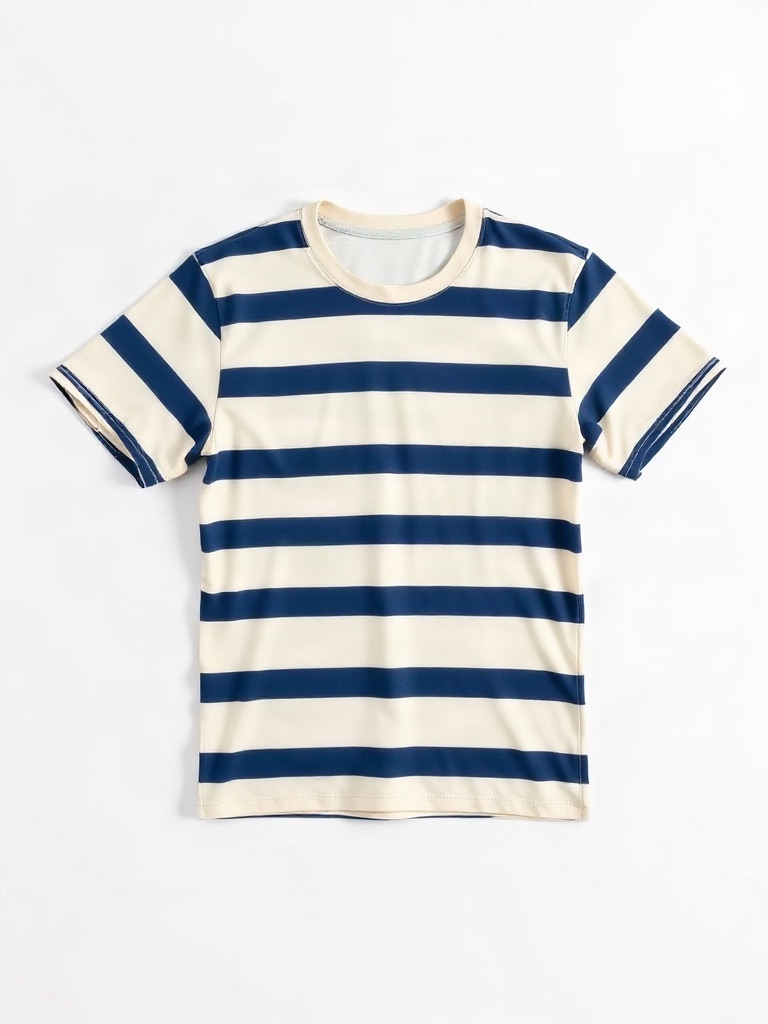
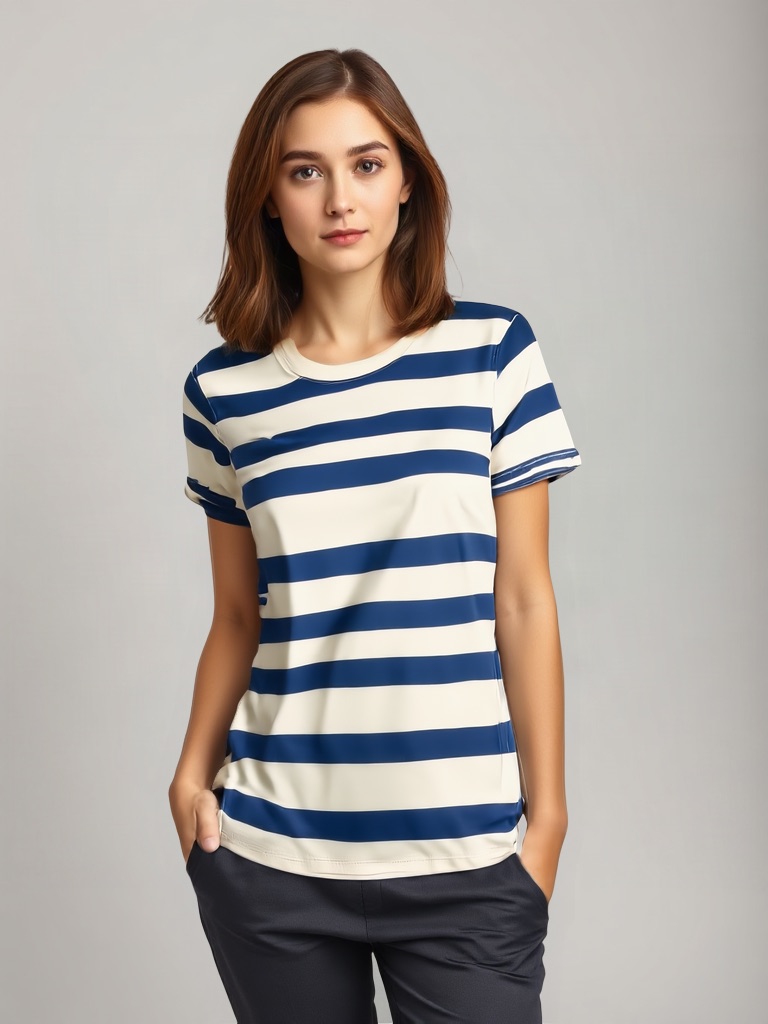 Original photo: crewneck cotton t-shirt with bold navy and cream horizontal stripes, flat lay on a white backgroundOriginalGenerated
- Edit:
- Flat lay → On model (Ava, standing, studio grey)
- For:
- TikTok Shop 3:4 apparel image without a model shoot
Frequently asked questions
Does it work on invisible-mannequin photos with the neck joined?
Yes. Standard ghost-mannequin composites with the inner neck visible transfer well; the model is posed to match the garment opening.
What about hangers or flat lays?
Those work too — the try-on accepts flat-lay, hanger and mannequin garment photos.
How many credits?
4 credits for four candidates; 1 credit for a single image.
Upload one photo and see four results
4 credits per run. New accounts get 5 free credits — enough to test it on your own product.
More tools
- AI virtual try-on — put your clothes on a modelVirtual try-on for sellers: upload a flat-lay or ghost-mannequin shot, pick an AI fashion model, and get on-model photos that keep every stitch of the garment. Amazon-, Shopify- and TikTok-ready sizes.
- AI product photography — lifestyle scenes from one photoPlace your product in a kitchen, living room, desk or outdoor scene. The product stays pixel-exact; the scene, light and shadows are generated around it.
- Edit text in image or photo online — keep the same fontEdit text in an image or photo without Photoshop: AI finds every line, you retype it, and the new words keep the original font, colour and texture. Change text in a JPG, a label, a banner or a screenshot in seconds; 5 free credits.
- AI fashion model generator for your garmentsGenerate photorealistic AI fashion models wearing your real products. Twelve synthetic models with different body types, skin tones and poses; your garment stays pixel-accurate.
- T-shirt mockup on a real-looking modelMake a t-shirt mockup from your actual tee photo — not a template. Upload the shirt, pick a model, get a worn shot with the print exactly as designed.
- Recolor image online — change the colour of anything in a photoRecolor an image with AI: name the part (a shirt, a lid, a bag, the background), pick the new colour, and get the same photo in that colour. Texture, folds, shadows and printed text stay. 2 credits per image.
- Amazon infographic images — A+ feature callouts with real textMake Amazon infographic images and A+ content modules in a minute: describe the product, type up to four selling points, pick a layout. The text is rendered exactly as typed, readable at thumbnail size. 1 credit per image.