4 credits per run · 4 candidates
T-shirt mockup on a real-looking model
Template mockups all look the same. This one starts from your real shirt photo, so the print, the fabric colour and the cut are yours; the AI only adds the person and the light.
- Product pixels locked
- Four candidates per run
- Amazon, Shopify, TikTok Shop, Etsy exports
A supplier white-background shot is enough. We cut the product out, then build the model or the scene around it.
Or click to open the studio · PNG, JPG, WebP up to 15MB
How it works
01
Upload a flat-lay or hanger photo of the tee (front, print visible).
02
Pick a model and, optionally, add styling notes (“tucked in”, “sleeves rolled”).
03
Generate four candidates and export at 1:1 or 3:4 for your store.
T-shirt mockup generator · AI t-shirt mockup
T-shirt mockup generator, AI t-shirt mockup — built on the same try-on, with your real tee as the input.
Why it works for listings
Your print, unchanged
Graphics and text on the shirt are transferred from your photo, not re-drawn.
Not a PSD template
No smart objects, no wrapping artefacts; the model is rendered around the real garment.
Print-on-demand friendly
One upload per design, same model across the range — a consistent store in an afternoon.
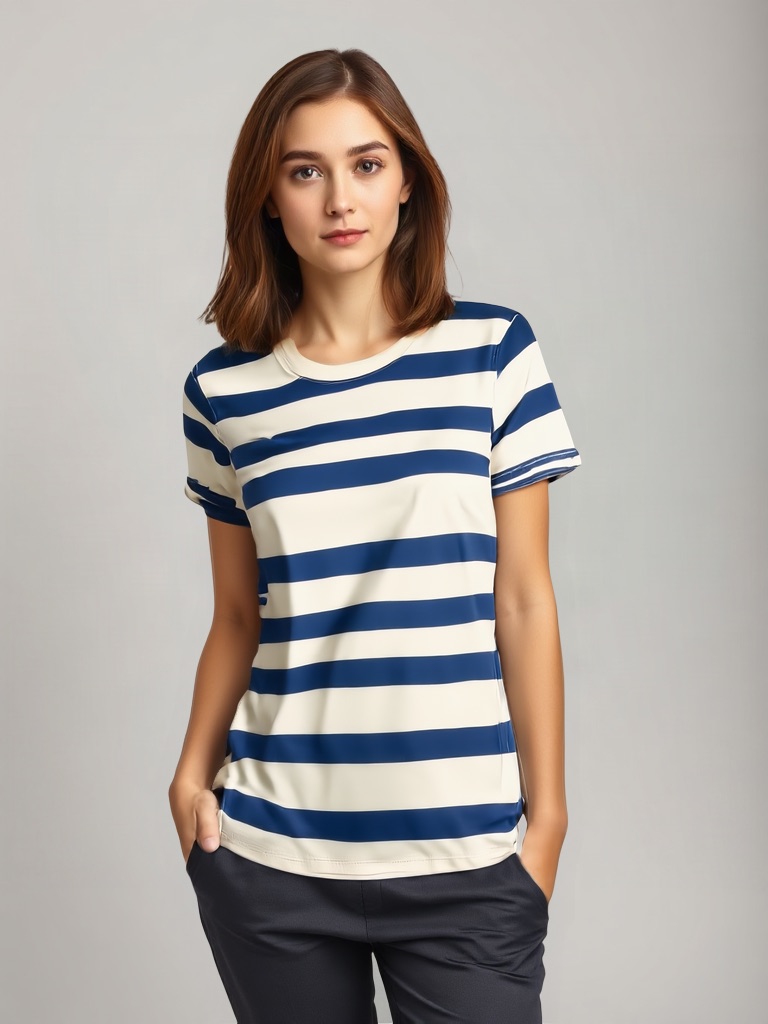 Original photo: crewneck cotton t-shirt with bold navy and cream horizontal stripes, flat lay on a white backgroundOriginalGenerated
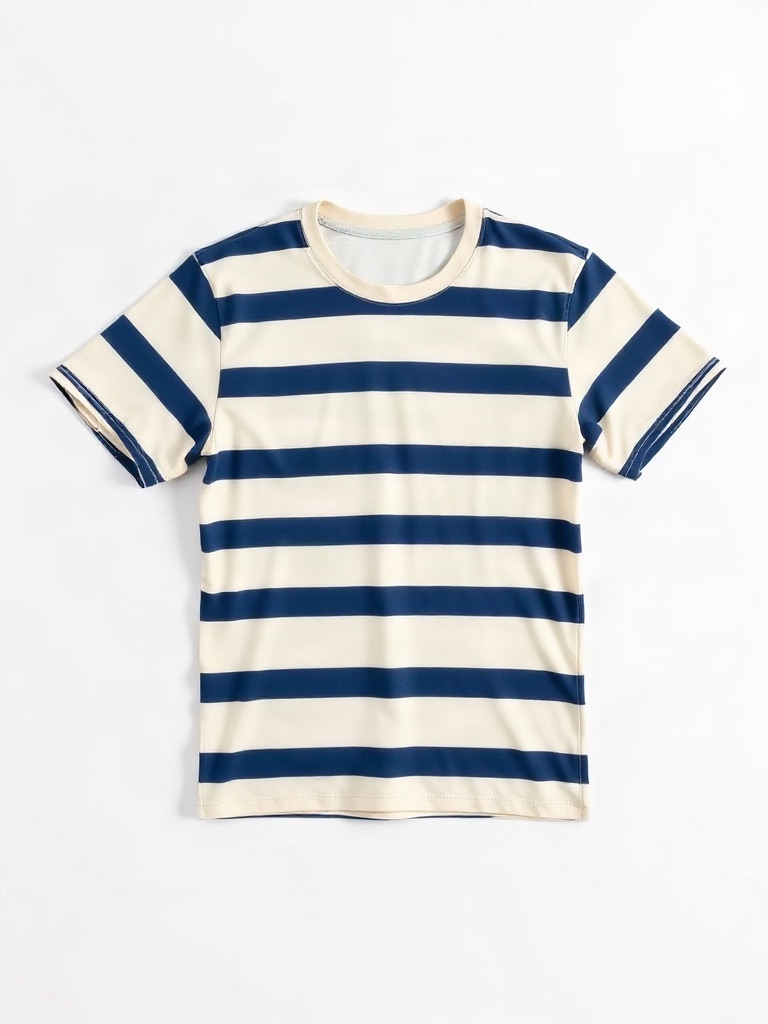
- Edit:
- Flat lay → On model (Ava, standing, studio grey)
- For:
- TikTok Shop 3:4 apparel image without a model shoot
Frequently asked questions
Do I need a photo of the shirt, or just the design file?
A photo of the printed shirt gives the best result. If you only have the design file, print it on a flat-lay mockup first, then upload that.
Hoodies and sweatshirts?
Yes, though hoods are sometimes rendered as collars. Crewnecks and tees are the most reliable.
Can I get the same model for every design?
Yes — select the same model each time or set it as your brand default.
Upload one photo and see four results
4 credits per run. New accounts get 5 free credits — enough to test it on your own product.
More tools
- AI virtual try-on — put your clothes on a modelVirtual try-on for sellers: upload a flat-lay or ghost-mannequin shot, pick an AI fashion model, and get on-model photos that keep every stitch of the garment. Amazon-, Shopify- and TikTok-ready sizes.
- AI product photography — lifestyle scenes from one photoPlace your product in a kitchen, living room, desk or outdoor scene. The product stays pixel-exact; the scene, light and shadows are generated around it.
- Edit text in image or photo online — keep the same fontEdit text in an image or photo without Photoshop: AI finds every line, you retype it, and the new words keep the original font, colour and texture. Change text in a JPG, a label, a banner or a screenshot in seconds; 5 free credits.
- Ghost mannequin to on-model photoTurn ghost-mannequin (invisible mannequin) shots into on-model photos. The garment keeps its shape, print and seams; the AI adds a real-looking model, pose and studio light.
- AI fashion model generator for your garmentsGenerate photorealistic AI fashion models wearing your real products. Twelve synthetic models with different body types, skin tones and poses; your garment stays pixel-accurate.
- Recolor image online — change the colour of anything in a photoRecolor an image with AI: name the part (a shirt, a lid, a bag, the background), pick the new colour, and get the same photo in that colour. Texture, folds, shadows and printed text stay. 2 credits per image.
- Amazon infographic images — A+ feature callouts with real textMake Amazon infographic images and A+ content modules in a minute: describe the product, type up to four selling points, pick a layout. The text is rendered exactly as typed, readable at thumbnail size. 1 credit per image.